 Capyzeno
Tracking and focus
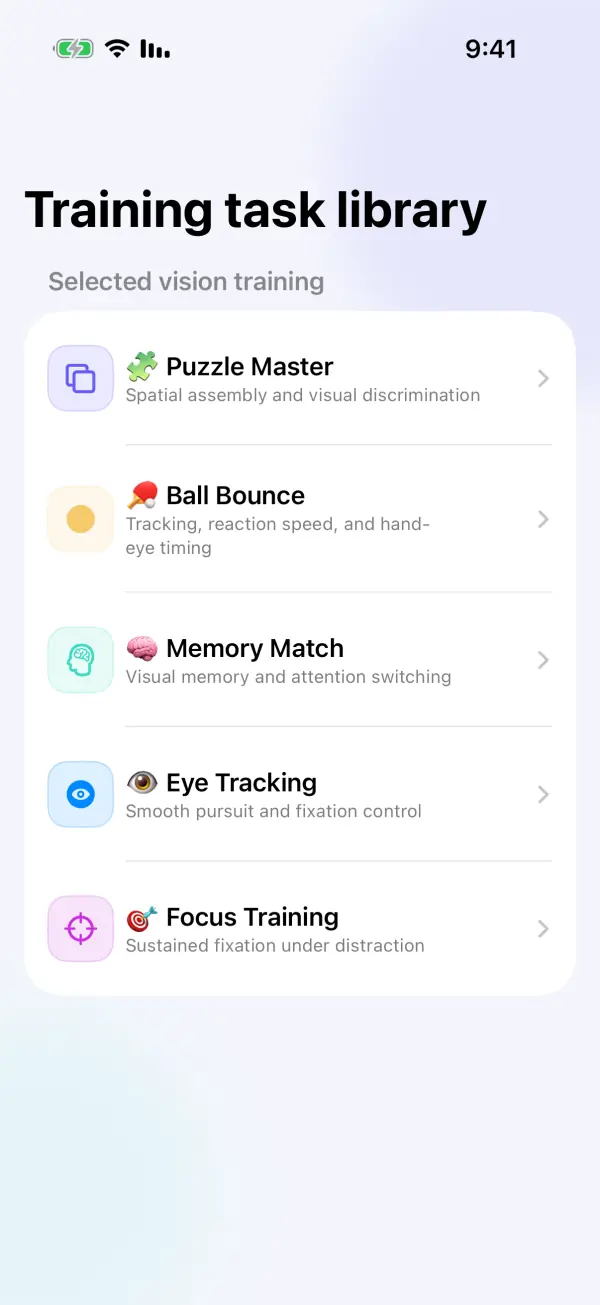
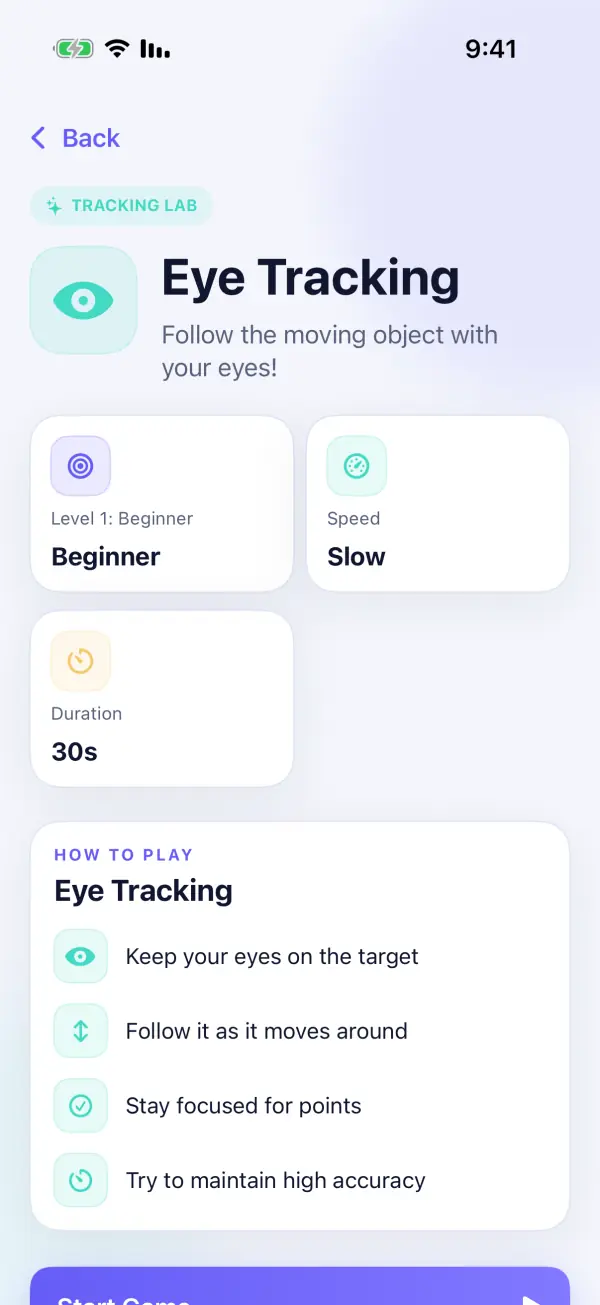
Eye Tracking, Focus Training, Balloon Catcher and Ball Bounce use moving targets and guided interactions to practice visual attention and hand-eye timing.
 VistaraKids · iPhone & iPad
Visual activities · Guided play · Parent controls
VistaraKids offers nine interactive activities for children ages 4–12, including eye tracking, focus, matching, mazes and puzzles. Children finish a defined activity while parents keep time limits and activity records within reach.
How it works
Each session begins with a chosen activity and ends when that activity is complete. Families decide what comes next, including moving away from the screen.
Parents create a local profile and choose appropriate boundaries. Multiple child profiles can keep activity records separate.
Select a tracking, matching, memory, number, maze or puzzle activity, then follow its on-screen instructions and difficulty settings.
Reach the activity's endpoint, acknowledge the achievement and let parents review recent activity in the protected parent area.
Inside the app
Eye Tracking, Focus Training, Balloon Catcher and Ball Bounce use moving targets and guided interactions to practice visual attention and hand-eye timing.
Number Hunter, Star Connect and Memory Match ask children to find sequences, connect points and remember card positions.
Maze Explorer and Puzzle Master add route finding, spatial assembly and visual problem-solving, with a clear task to complete.
Achievements and activity history help families revisit what was completed. The experience avoids an endless content feed and public competitive rankings.
For parents
Manage daily time limits, child profiles, purchases and external actions in the parent area. Activity data is stored locally, with optional iCloud support for eligible features.
Important: VistaraKids is not a medical device and does not diagnose, treat or correct vision conditions. For vision concerns, consult a qualified eye-care professional. Stop use if a child feels discomfort.
FAQ
No. It is a children's activity app and does not replace professional examination, diagnosis or treatment. Families should follow advice from a qualified eye-care professional for vision concerns.
The nine activities are Eye Tracking, Focus Training, Balloon Catcher, Number Hunter, Maze Explorer, Puzzle Master, Star Connect, Ball Bounce and Memory Match.
Yes. The parent area provides daily time-limit settings and activity records. Purchases and external actions are protected by a parental gate.
No camera-based eye recording is needed for these activities. Child profiles and activity records are stored locally unless an eligible optional iCloud feature is used.
Explore nine guided visual activities with parent-managed boundaries.